When a workflow is well-designed, people are able to remain focused on their task without stopping to think about the software. Late last year, I wrote about bringing that philosophy to TUNE’s offer management experience, replacing dated patterns with familiar ones and giving information a clear hierarchy so customers could find their way faster. This year, we’ve been carrying that same concept into TUNE Pay, and the first area we’ve addressed is the partner tax information collection flow.
For partners anxious to start promoting brands and getting paid, we want them to move through the tax information requirement as quickly as possible with zero friction.
Reducing friction for customers and their partners
The previous workflow asked a lot of the partner, requiring external forms to be uploaded without much guidance along the way. This resulted in a regular stream of questions for both our customers’ account management team and TUNE’s support team.
On top of that, partners were further slowed down from receiving their initial payment due to a manual review step performed by members of the TUNE team.
The solution: A guided, step-by-step flow that collects the right information
The new experience keeps the whole process inside TUNE Pay and walks each partner through a short, guided form.
The flow consists of three steps:
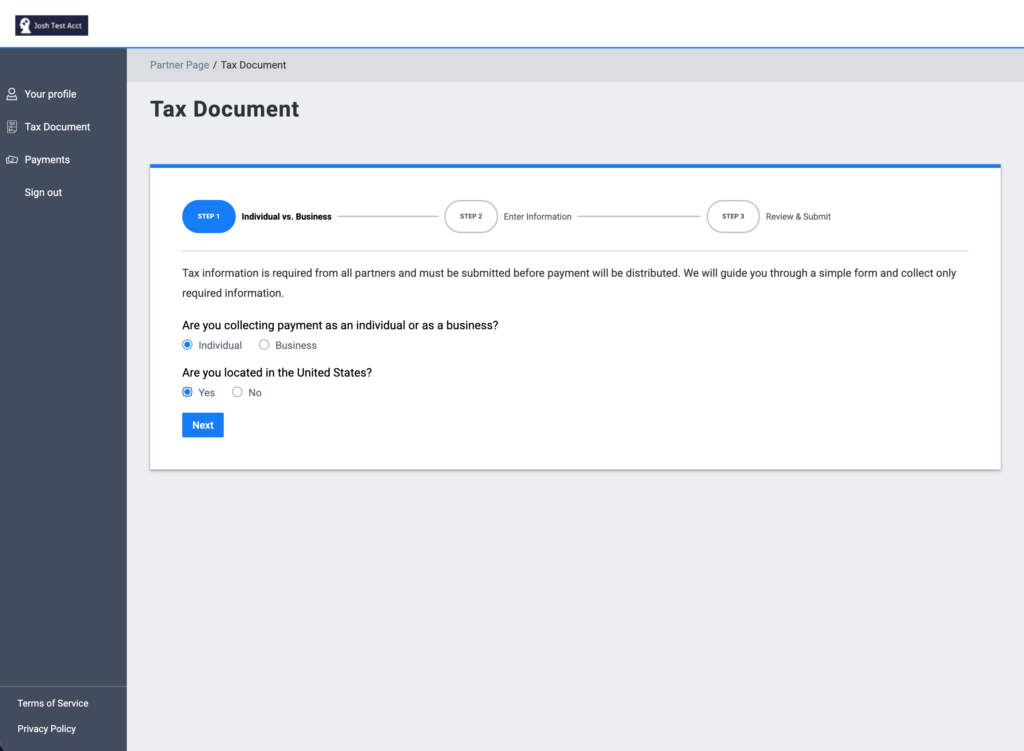
1. Individual vs. Business
This step determines which tax form is appropriate for the partner, asking whether they are collecting payment as an individual or a business, and whether the business is located in the United States.
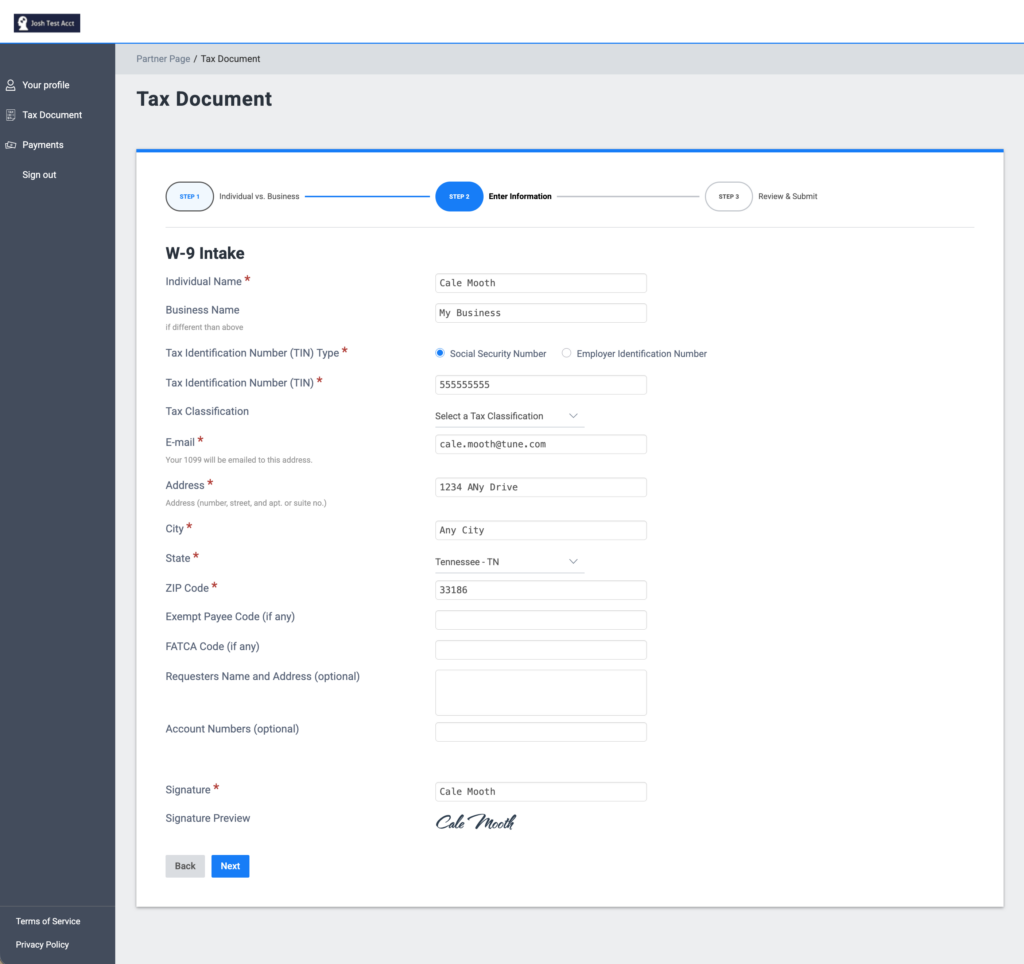
2. Enter Information
This step collects all relevant information from the partner. Required fields are marked with a red asterisk, and the partner is asked to apply a digital signature before continuing.
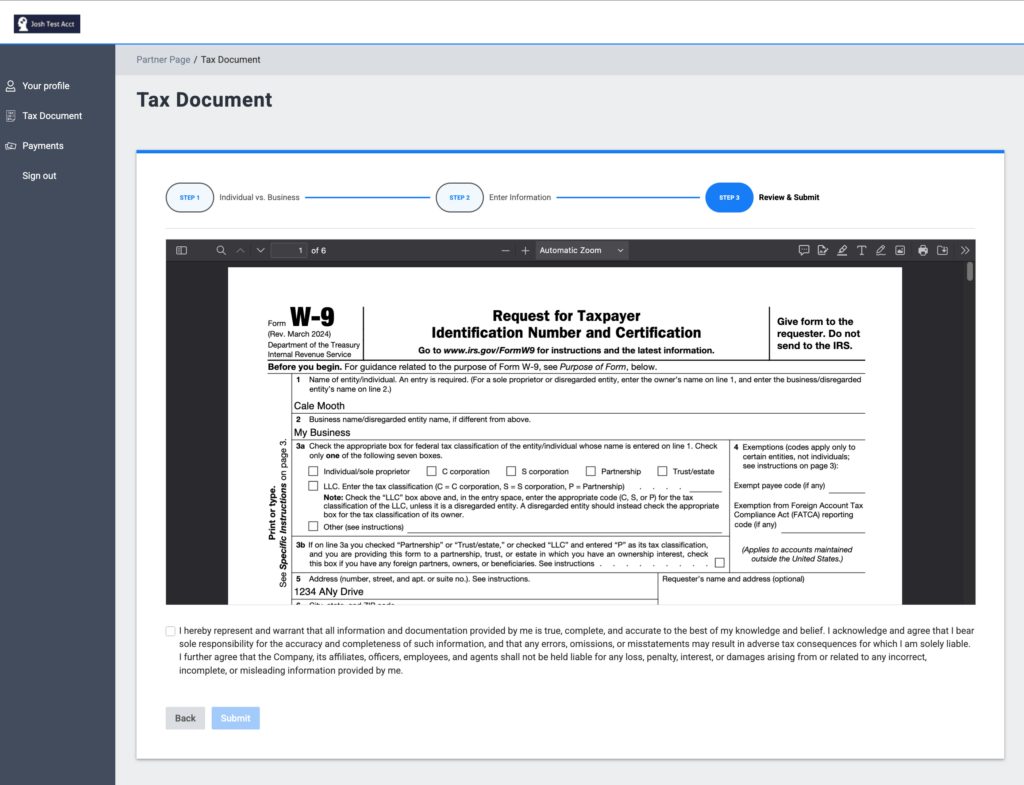
3. Review & Submit
The partner reviews the final, generated tax form (for example, a W-9) and acknowledges that the information provided is true, complete, and correct before submitting.
Once the form is submitted, the tax information is instantly approved. From the confirmation screen, partners can:
- Resubmit their information at any time by clicking “Submit a new tax document,” which restarts the process.
- Update the email address to which their end-of-year 1099 will be delivered.
Why a better form makes a better platform
Partners onboard faster and get paid sooner
The clearest sign of a well-designed flow is that people can complete it without asking for help. Partners can focus on brand promotion and receive payment without getting bogged down by tax documents.
Brands can rely on automated and accurate tax reporting
Because TUNE Pay collects and validates the right information up front, brands can be confident that their partners will receive accurate information via the end of year 1099 distribution process.
Shaped by feedback with more improvements coming soon
This update addresses the quality-of-life requests we hear from customers as we continue our trek to make the TUNE product a pleasure to work with for all our customers and their partners. Expect to see more of these improvements over the coming months.
The updated tax document flow is available for accounts with TUNE Pay. Want to learn more about how TUNE Pay can help automate your partner payment flows? Contact us for more details.
As always, if you have ideas for how we can keep improving, share them through the TUNE Feedback Portal or by emailing [email protected].
Author

Cale is a Senior Product Manager for TUNE and is focused on creating the best experience possible for TUNE users. Prior to TUNE, Cale worked in the email marketing space for 8 years, building tools to help marketers better connect with their audience. Cale has a background in design earning a BFA from the University of Tennessee.